#include <splayer.h>
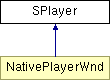
Class diagram for SPlayer:
Public Members | |||
 | | void | FreeBuffer () |
| | void | MouseMove ( int x, int y, BOOL mouseIsDown) |
| | void | MouseDown ( int x, int y ) |
| | void | MouseUp ( int x, int y ) |
| | void | CancelCapture (BOOL outsideWindow = true) |
| | void | OnDraw () |
| | void | Repaint ( SRECT* rect ) |
| | void | GetURL ( char* url, char* target = "", char* postData = "", int loadMethod = 0) |
| | virtual void | StreamPostURLNotify ( const char* url, const char* window, U32 len, const char* buf, void* notifyData ) = 0 |
| | virtual void | StreamGetURLNotify ( const char* url, const char* window, void* notifyData ) = 0 |
| | void | StreamInNew ( StreamData* streamData, char* url, void* notifyData ) |
| | int | StreamInWrite ( StreamData* streamData, void* buffer, int length ) |
| | void | StreamInDestroy ( StreamData* streamData ) |
| | virtual void | CloseStream ( StreamData* streamData ) = 0 |
| | virtual void | ProcessFSCommand ( char* command, char* args ) = 0 |
| | void | SetMenuState () |
| | void | GetMenuState ( MenuStatus* menuStatus ) |
| | void | GetEditMenuState ( EditMenuStatus* editMenuStatus ) |
| | int | GetPopupMenuState () |
| | void | ControlOpen ( char* url ) |
| | void | ControlClose () |
| | void | ControlPlay () |
| | void | ControlRewind () |
| | void | ControlForward () |
| | void | ControlBack () |
| | void | ControlLoop () |
| | void | ControlViewAll () |
| | void | Control100 () |
| | void | ControlZoomIn () |
| | void | ControlZoomContext ( int x, int y ) |
| | void | ControlZoomOut () |
| | void | ControlHighQuality () |
| | void | CreateIdealPalette ( SColorTable* ctab ) |
| | int | GetCursorType () |
Deletes the bitmap backing the window, invalidates the display. Flash will rebuild the bitmap with the current screen depth and palette.
MouseMove is a method provided for use by the native code.
MouseMove should be called whenever the mouse position needs to be updated. (The actual frequency should be often enough to update the mouse, but not so often as to clog the system.) It should be called irrespective of whether the mouse button is down.
MouseDown is a method provided for use by the native code.
MouseDown should be called when the mouse button is pressed.
MouseUp is a method provided for use by the native code.
MouseUp should be called when the mouse button is released.
CancelCapture is a method provided for use by the native code.
CancelCapture should be called if the mouse capture needs to be aborted for some reason. outsideWindow is true if the mouse has left the window. (Elvis has left the building.)
OnDraw is a method provided for use by the native code.
OnDraw should be called when the play timer fires, or when the screen should be rendered.
OnDraw is a method provided for use by the native code.
It is used to request a repaint of a screen rectangle. Usefull for responding to re-paint requests from the OS.
GetURL provides support for all URL retrieval. It is not generally used by Native code.
[pure virtual]
StreamPostURLNotify is a call made to the Native code to start a Post. It mimics the netscape call NPN_PostURLNotify. (See the plug-in guide at http://developer.netscape.com/docs/manuals/ )
Reimplemented in NativePlayerWnd.
[pure virtual]
StreamGetURLNotify is a call made to the Native code to start a Get. It mimics the netscape call NPN_GetURLNotify (See the plug-in guide at http://developer.netscape.com/docs/manuals/ )
Reimplemented in NativePlayerWnd.
A data stream is delivered to Flash in 3 steps:
1) StreamInNew
2) StreamInWrite
3) StreamInDestroy
Note that Flash has only one thread and these calls need to be on that thread; it may be necessary to perform synchronization in native code.
StreamInNew is either a response to a POST or GET, or can be used to initiate streaming (and loading a movie) without a request from Flash. If used to initiate streaming, it is possible the incoming stream will confilct with the existing movie. There are 2 solutions to this problem:
1) only use StreamGetURLNotify to load the first movie - useful for plugins
2) use ControlOpen to start streaming, which will clear existing movies and strings.
StreamInNew is modeled after the netscape NPP_NewStream.
StreamInWrite delivers a block of SWF data to the Flash core. Based on netscape NPP_Write. Returns >= 0 to continue, return -1 if error
StreamInDestroy ends the delivery of SWF data to the Flash core. Based on netscape NPP_DestroyStream. Deallocates memory stored by streamData.
[pure virtual]
If a stream needs to be axed mid-way (after the Stream in new, but before completion) this call kills it. The most basic functionality of this call should be to set streamData->scriptPlayer to NULL. That way, future calls to StreamInWrite and StreamInDestroy will not write SWF data. It is a good idea to call StreamInDestroy on the closed stream to clean up memory.
Reimplemented in NativePlayerWnd.
[pure virtual]
FSCommand sends a command from the movie to the player. The ProcessFSCommand method call is made to the NativePlayerWnd when it needs to process an FSCommand. It has two parameters: Command and Argument. Since the FSCommand does something different on every host platform, there are a wide range of actions that FSCommand can cause. Please see the Flash 4 help file on FSCommand for a complete description.
Reimplemented in NativePlayerWnd.
SetMenuState will determine the state of the menu options and call EnableMenus.
GetMenuState puts the status (enabled, disabled, checked) of the various menu items into the MenuStatus structure. It has no side effects and can be called at any time.
GetEditMenuState puts the status (enabled, disabled) of the edit text popup menu items into the EditMenuStatus structure. It has no side effects and can be called at any time. If no field has the focus, all of the fields in the structure will be false.
Based on the current mouse cursor, GetPopupMenuState assumes a popup menu has been requested and returns an enumerated for what type of menu it should be: MENU_EDIT, MENU_NONE, MENU_NO_MOVIE, MENU_NORMAL, or MENU_STATIC. Please see the design doc for a description of the various menu types.
The Control* methods are provided for use by the native code. Their functionality (and names) reflects menu item choices.
ControlOpen opens and plays a movie given a URL to a local or remote object.
Closes a playing movie.
Play or stop (toggle).
Rewind the current movie to the beginning.
Move the movie forward one frame.
Move the movie backward one frame.
Sets the movie looping or non-looping.
Sets the movie to fill the client window.
Sets the movie to its actual size (100% zoom).
Zoom in.
Zoom in, from context menu. An x and y coordinate to zoom to must be specified.
Zoom out.
Toggles high quality on and off.
Currently not used. Writes an "ideal" palette into ctab. Just a suggestion.
Query the current cursor type. Returns either CURSOR_TYPE_ARROW, CURSOR_TYPE_HAND, CURSOR_TYPE_BUTTON, CURSOR_TYPE_BEAM